EasyAdmin Pro

The advanced features every company ends up building by hand, already built for your Symfony backend and maintained by the EasyAdmin team.

Sooner or later, every serious admin needs the same things: a record of who changed what, a way to see what is happening in background jobs, and protection against two people editing the same record at once and a few more things. EasyAdmin Pro gives you all of them, ready to use, built and maintained by the people who wrote EasyAdmin.

Content Lock

When someone is editing a record, everyone else can see it's taken. No more two people saving over each other's work and losing changes.

See how it works ↓

Audit Log

A complete history of every change made in your admin: who did it, when, and exactly what changed. When someone asks "who modified this?", the answer is one click away.

See how it works ↓

Messenger Inspector

See what your background jobs are doing: emails, exports, imports, notifications. Spot failures before your customers do and fix them from the admin, no terminal needed.

See how it works ↓

Markdown Editor

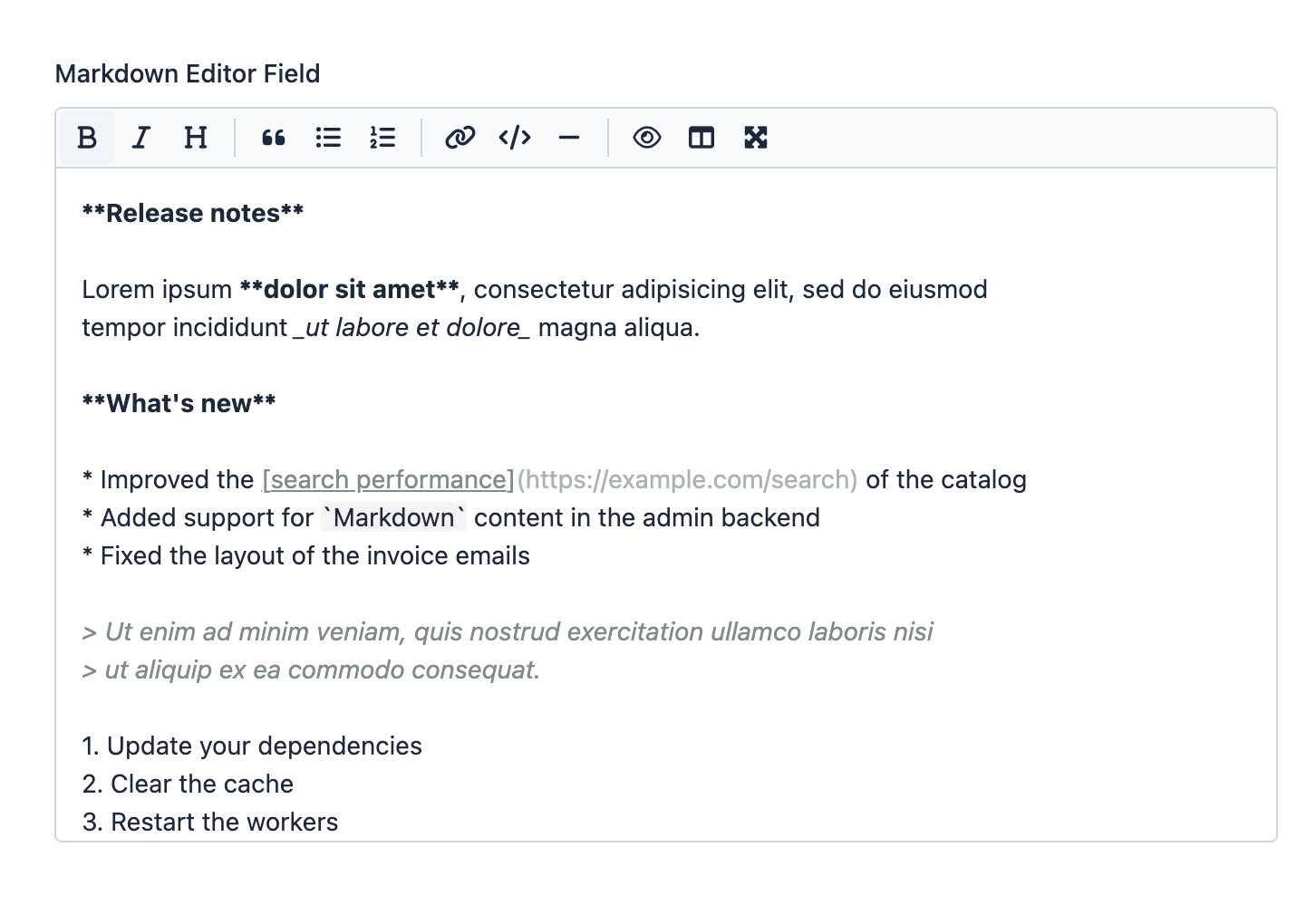
A pleasant writing experience for your content editors, with a formatting toolbar and live preview. The result is always safe, clean HTML.

See how it works ↓

Building any one of these properly takes anywhere from days to weeks: the edge cases, the security review, the tests, and fixing everything that breaks with new Symfony and Doctrine versions. Even if you use AI tools like Claude Code or Codex to build them, you will spend many hours fixing and polishing the result to reach this level of quality, and many more keeping it working. EasyAdmin Pro is one composer require, with updates and support included.

Built on the open source EasyAdmin

18 million
downloads
11 years
of continuous maintenance
38
interface languages

Works with the versions you already run

No rewrite, no upgrade project: EasyAdmin Pro installs into the Symfony application you have today.

PHP
8.1 to 8.5

From PHP 8.1 to the latest 8.5 release

Symfony
5.4 to 8.x

Both LTS releases (5.4 and 6.4) and all current versions

EasyAdmin
4.x and 5.x

Upgrade to EasyAdmin 5 whenever you are ready

Doctrine ORM
2.x and 3.x
Doctrine DBAL
3.x and 4.x

Every combination from PHP 8.1 / Symfony 5.4 to PHP 8.5 / Symfony 8.x is tested in CI, with both EasyAdmin 4 and 5. Everything runs inside your own application: no external services, no data leaving your servers. The Messenger Inspector requires Symfony Messenger and works with any transport (Doctrine, AMQP/RabbitMQ, Redis, Amazon SQS, and more).

EasyAdmin Pro costs less than two hours of developer time per month

One license = unlimited projects, unlimited developers and AI agents

Regular price: €199/month -25%
Promotional price:
€149/month excl. VAT

25% off for the first 6 months, then €199/month

The fastest way to start: pay by card, cancel anytime, and switch to annual later if your finance team prefers one invoice.

Regular price: €2,388/year -13%
Promotional price:
€2,088/year excl. VAT

€300 off your first year (25% for 6 months), then €2,388/year

Same price as 12 monthly payments, but one purchase order, one invoice and one approval a year. Your finance team will thank you.

Everything included in EasyAdmin Pro

Each feature is documented in depth, tested across every supported PHP, Symfony and Doctrine version, and designed so that a failure in the feature never takes your application down with it.

[ 01 ]

Content Lock

Two people can't edit the same record at the same time, and everyone can see who has it.

Two editors open the same product. Both change something. The second one to save silently erases the first one's work, and nobody finds out until a customer sees the wrong price. When someone opens a record to edit, Content Lock locks it for everyone else and shows them who is editing it and since when.

It's one line of configuration and no PHP code: it hooks into EasyAdmin's CRUD events, so every edit page of the entities you choose is protected. The hard parts (stale locks, crashed browsers, privileged takeovers, and what happens to the person who was overridden) are handled for you.
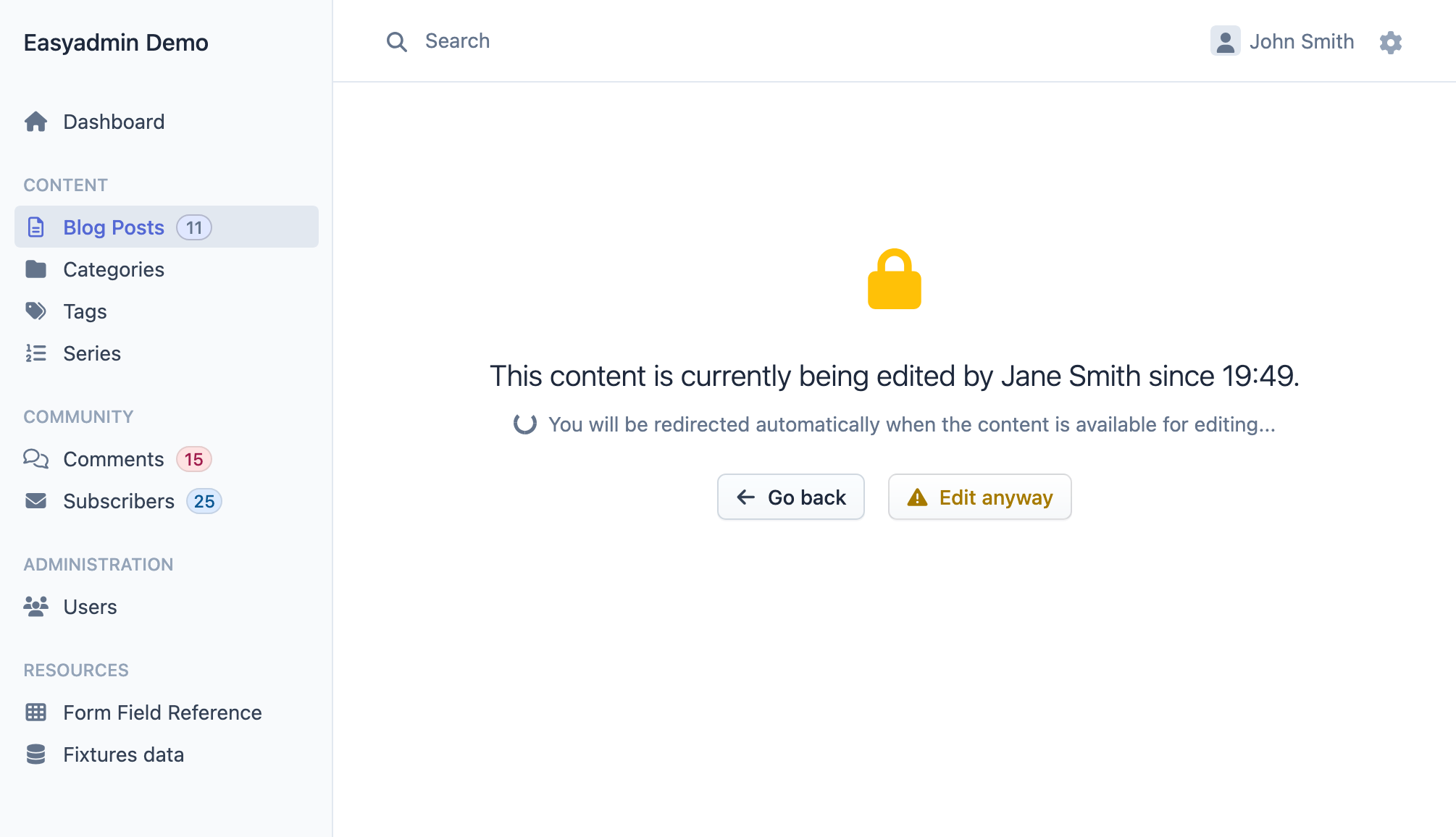
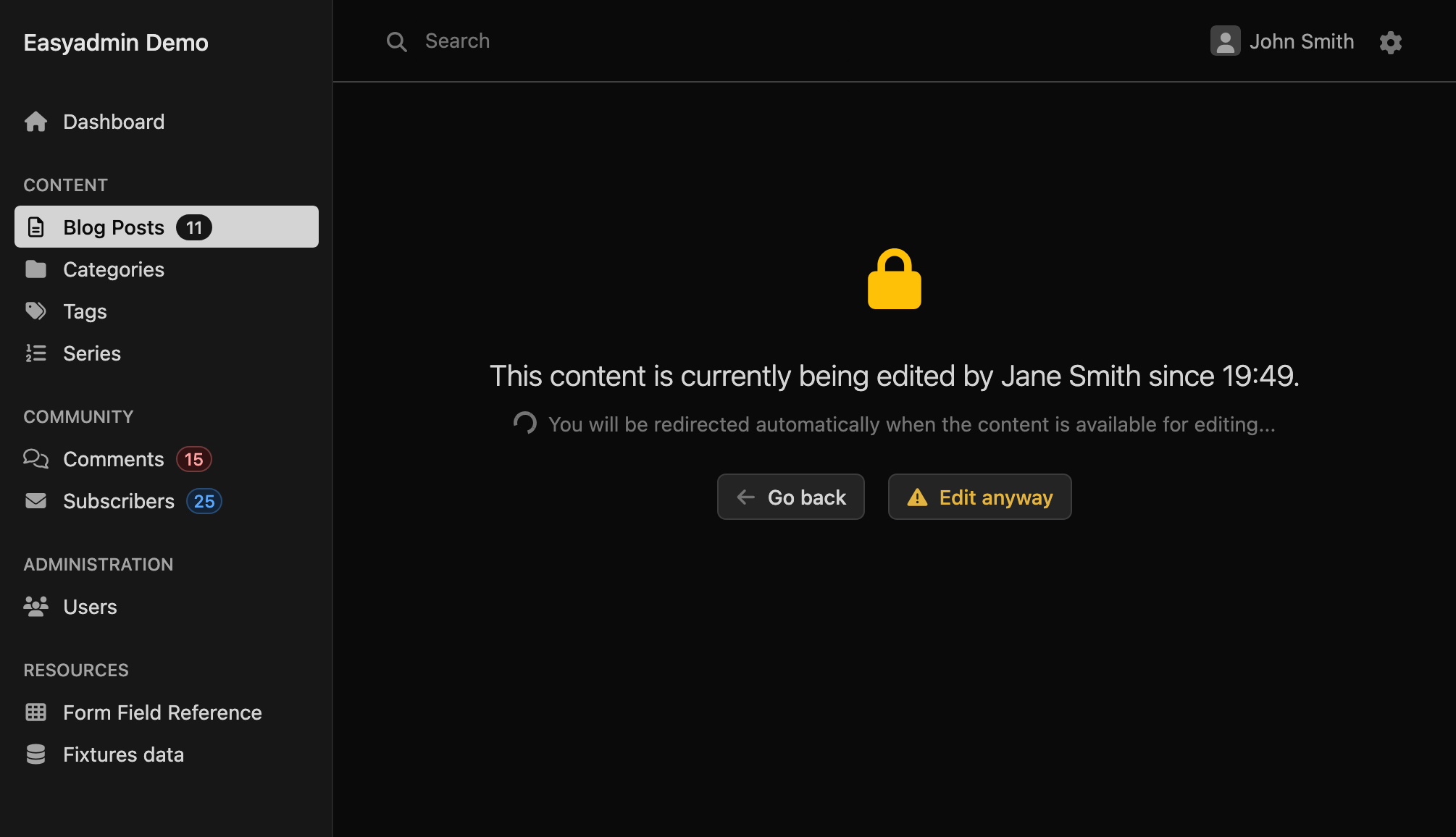
The locked page shown to a second editor: a lock icon, a message saying the content is being edited by Jane Smith since 19:49, a spinner announcing an automatic redirect when the content is available, and the Go back and Edit anyway buttons
config/packages/easyadmin_pro.yaml
easyadmin_pro:
    content_lock:
        enabled: true
        # refresh the lock every 30 seconds
        heartbeat_interval_seconds: 30
        # abandoned locks expire after 15 minutes
        lock_ttl_seconds: 900

Locks that take care of themselves

The lock is acquired when the edit page loads, refreshed by a heartbeat every 30 seconds and released the moment the user submits the form or leaves the page. If the browser crashes, the lock expires on its own after its TTL and the next editor takes it over. Meanwhile, the locked page polls in the background and redirects the waiting user to the form the instant the record is free, with a warning banner if the network drops in between.
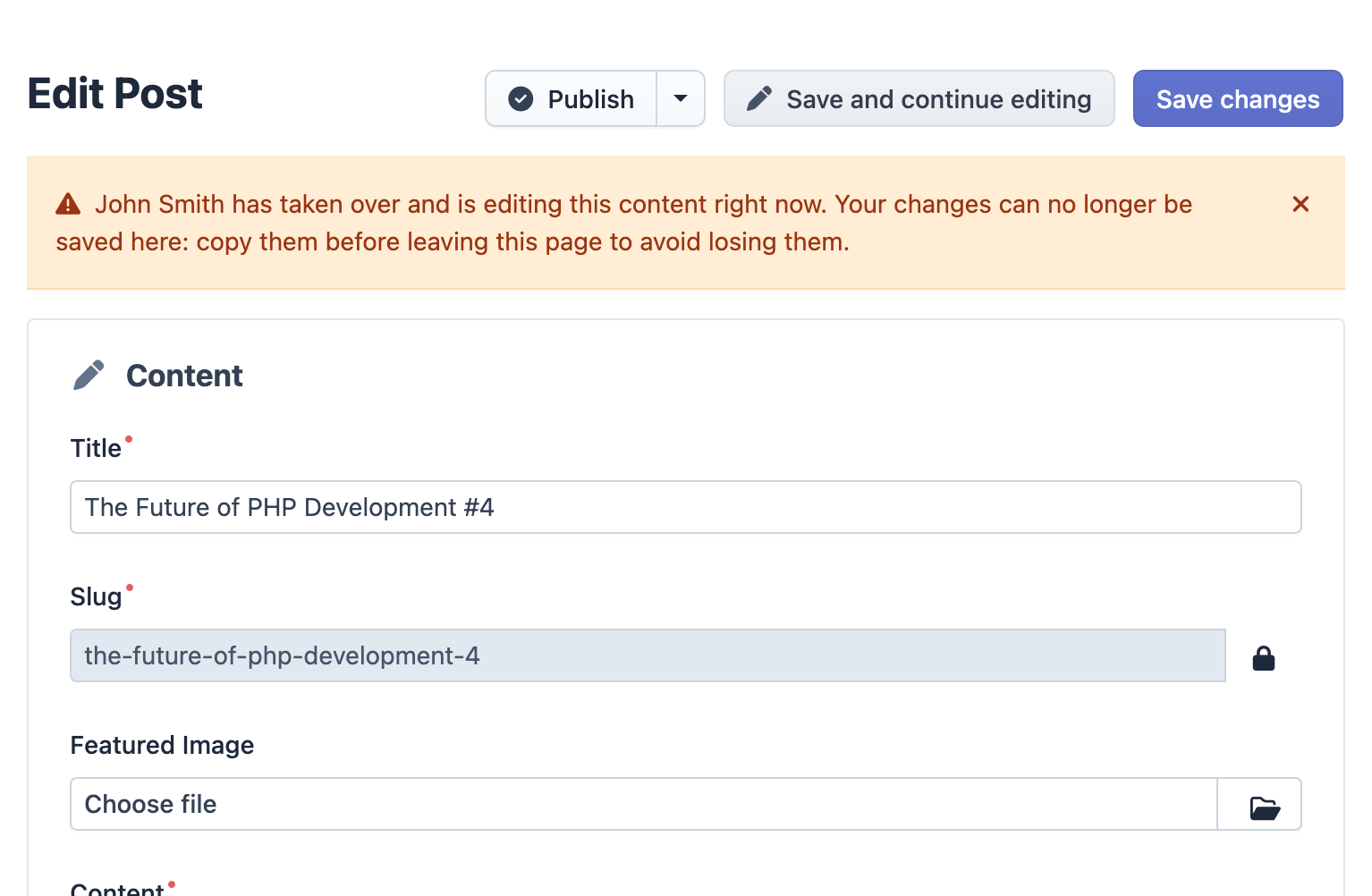
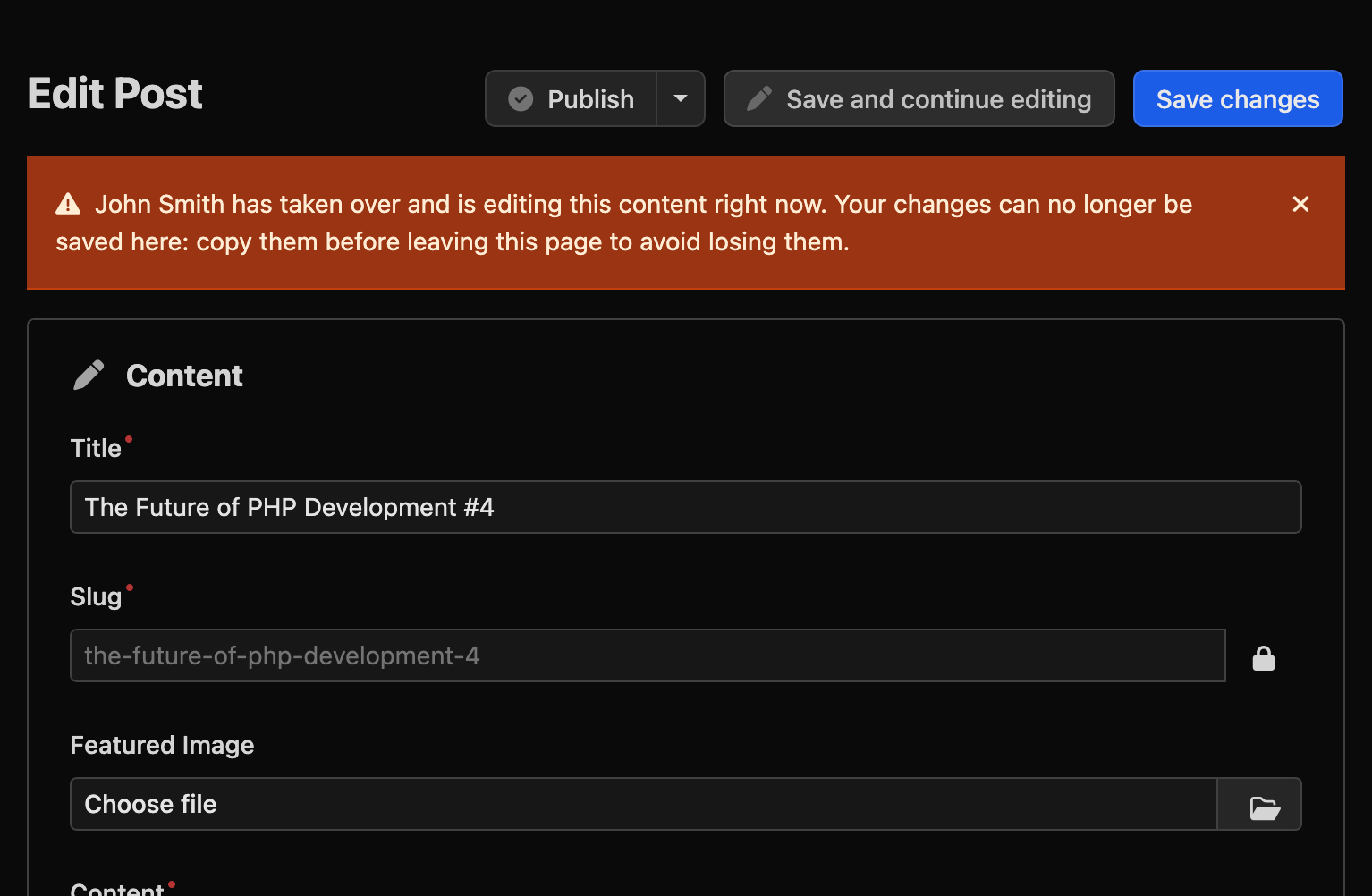
A screensot of the edit form of the original editor after being overridden: a warning banner saying that John Smith has taken over and is editing this content now, and the Save buttons greyed out

Takeovers with rules, not surprises

Sometimes the lock owner went to lunch. A user can take over a lock, after an explicit confirmation, only if they hold every role the owner had when the lock was acquired, checked through Symfony's access decision manager so your custom voters apply. A lock with no recorded roles refuses every override.

The previous editor finds out on their next heartbeat: a banner names who took over, the save buttons are disabled, and any submit that still reaches the server is rejected.

Under the hood

Zero code
content_lock.enabled: true protects every entity managed by EasyAdmin. Narrow it down with included_entities and excluded_entities. The lock table is created with your regular make:migration.
CSRF-protected, always
Heartbeat, release, status and override are AJAX requests to the edit URL that must carry a per-entity CSRF token injected in the page. A missing or invalid token gets a 403.
Privacy per audience
Show the owner's identifier or only "someone else" (anonymous), globally or per dashboard, so external partners using your admin never learn the names of your staff.
Fails open
If the lock store is unreachable, the error is logged and editing proceeds without a lock, never with a broken backend. The one exception is a missing table, which stops with the exact setup commands to run.
Scope
A lock covers the whole entity on EasyAdmin edit pages. APIs, console commands and custom controllers that write to the same entities are not aware of it and are not blocked by it.
[ 02 ]

Audit Log

A complete history of every change in your application, with cryptographic proof that nobody rewrote it afterwards.

Sooner or later someone asks "who changed this price?" or "when was this order deleted?", and the honest answer is a shrug, or an afternoon digging through database backups. With the audit log, the answer is one click away: who did it, when, from which IP address, and the exact before and after value of every field.

Most audit logs, free or paid, are a table of rows. That works until someone with database access edits or deletes a row, and then there is no way to tell. This one signs every entry and links it to the previous one, so any modification, deletion or reordering is detectable. It's the same integrity design AWS CloudTrail uses for log file integrity validation: hash-chained records closed by periodically signed checkpoints.

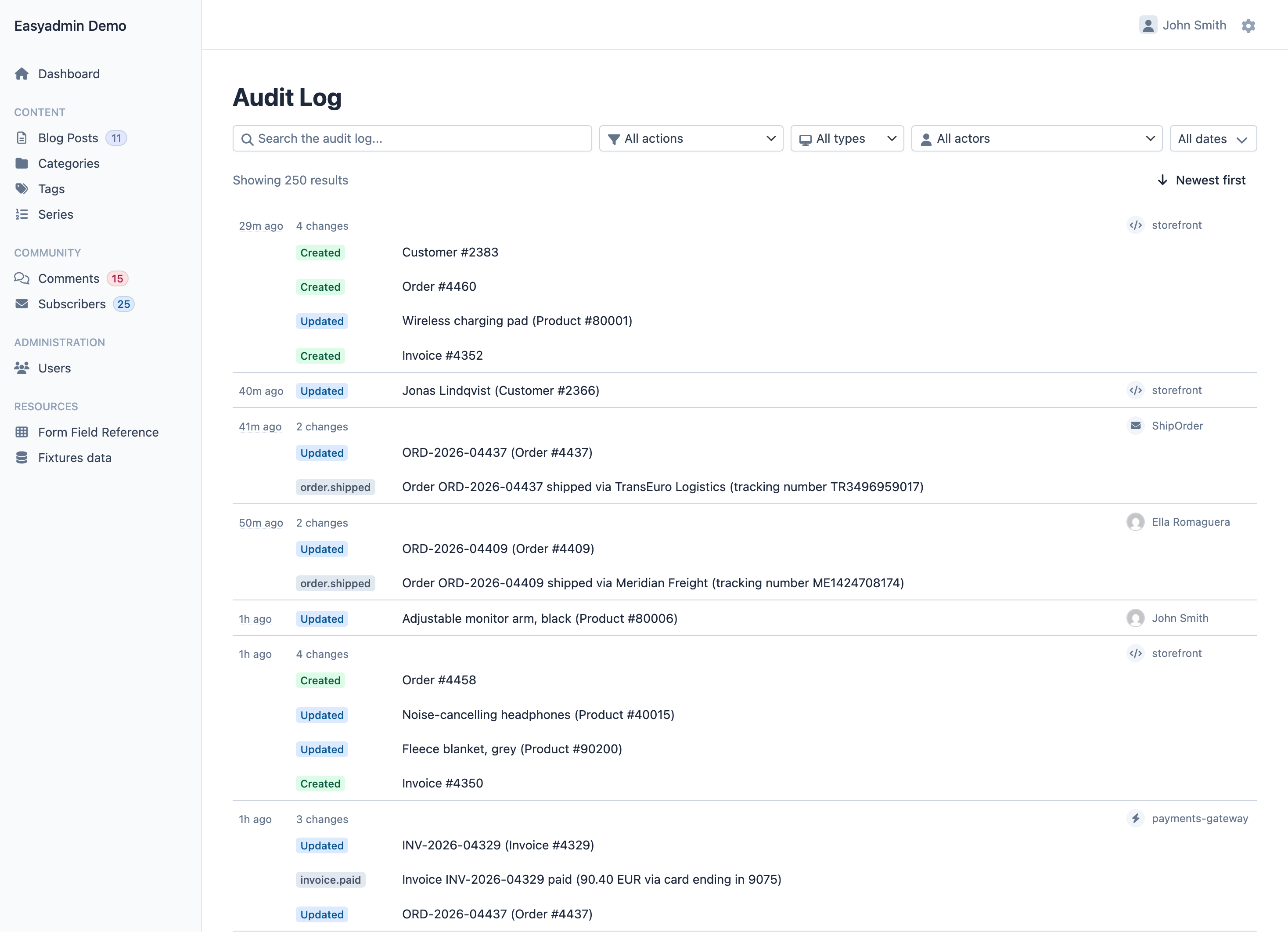
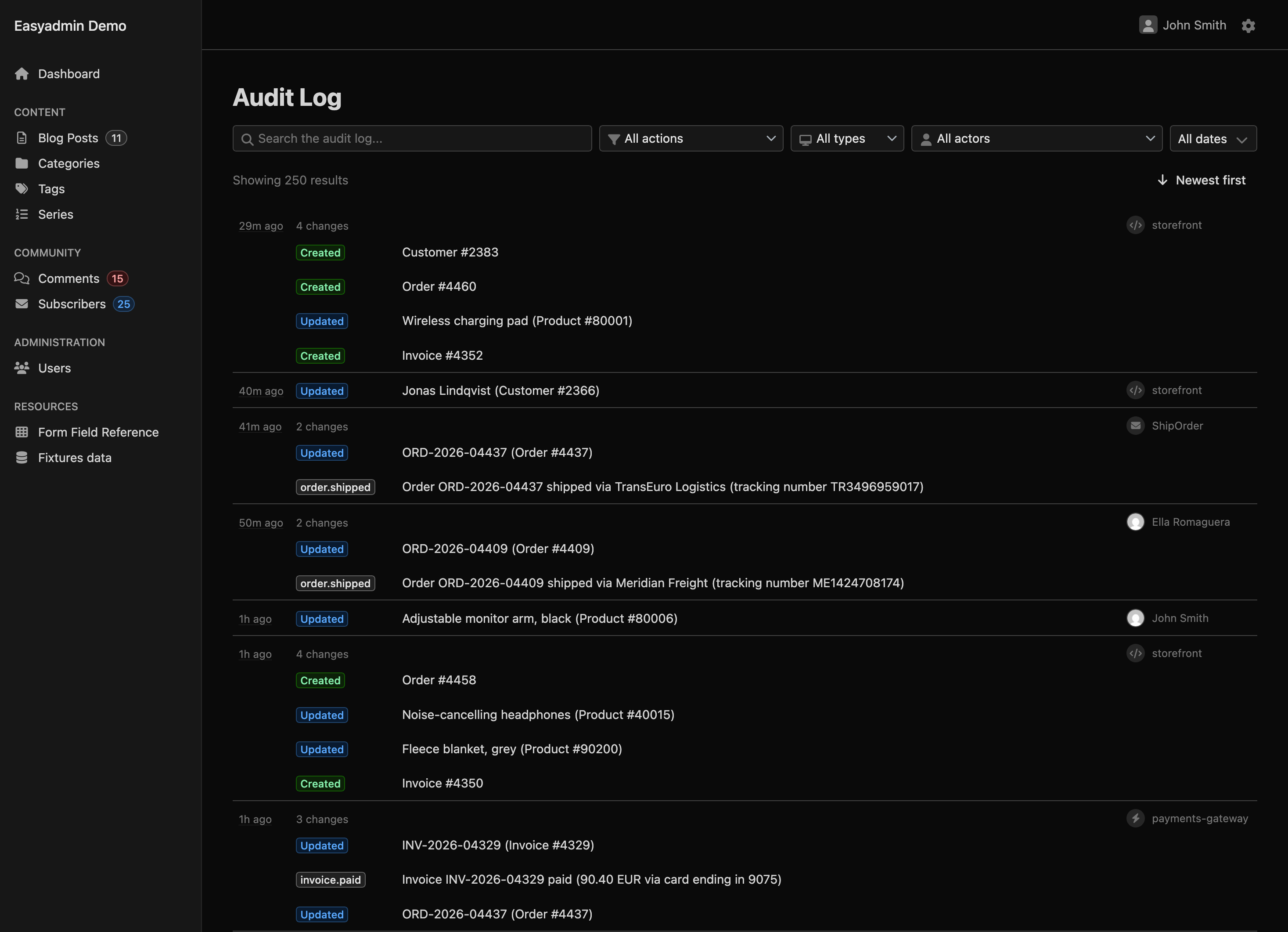
Audit Log page inside an EasyAdmin backend: a search box and filters for action, actor type, actor and date above a list of 250 entries grouped by change, each with a Created, Updated or custom action badge such as order.shipped, a description like Order #4460 or Invoice INV-2026-04329 paid, and the actor on the right (a user with avatar, the storefront API or the ShipOrder message)
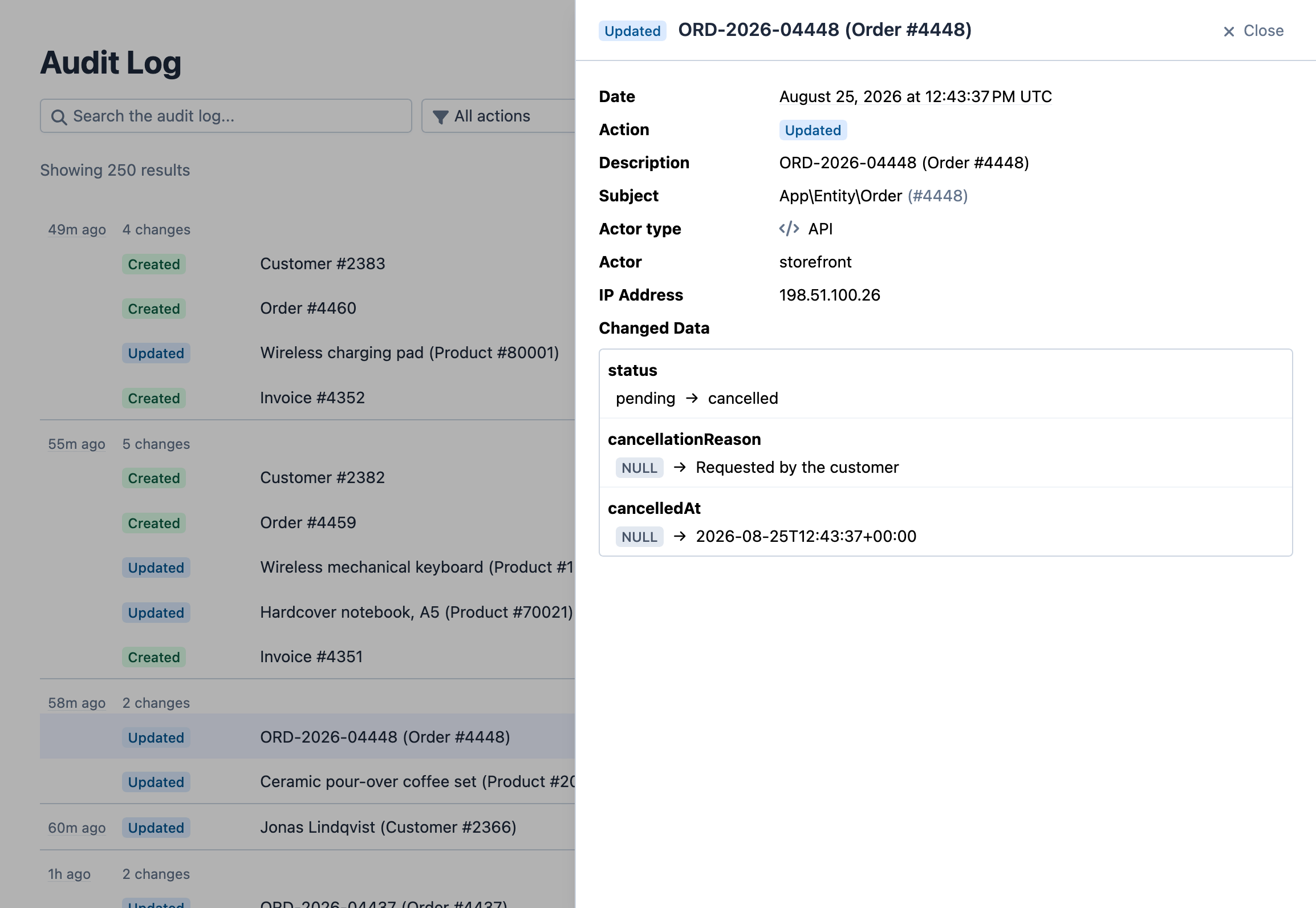
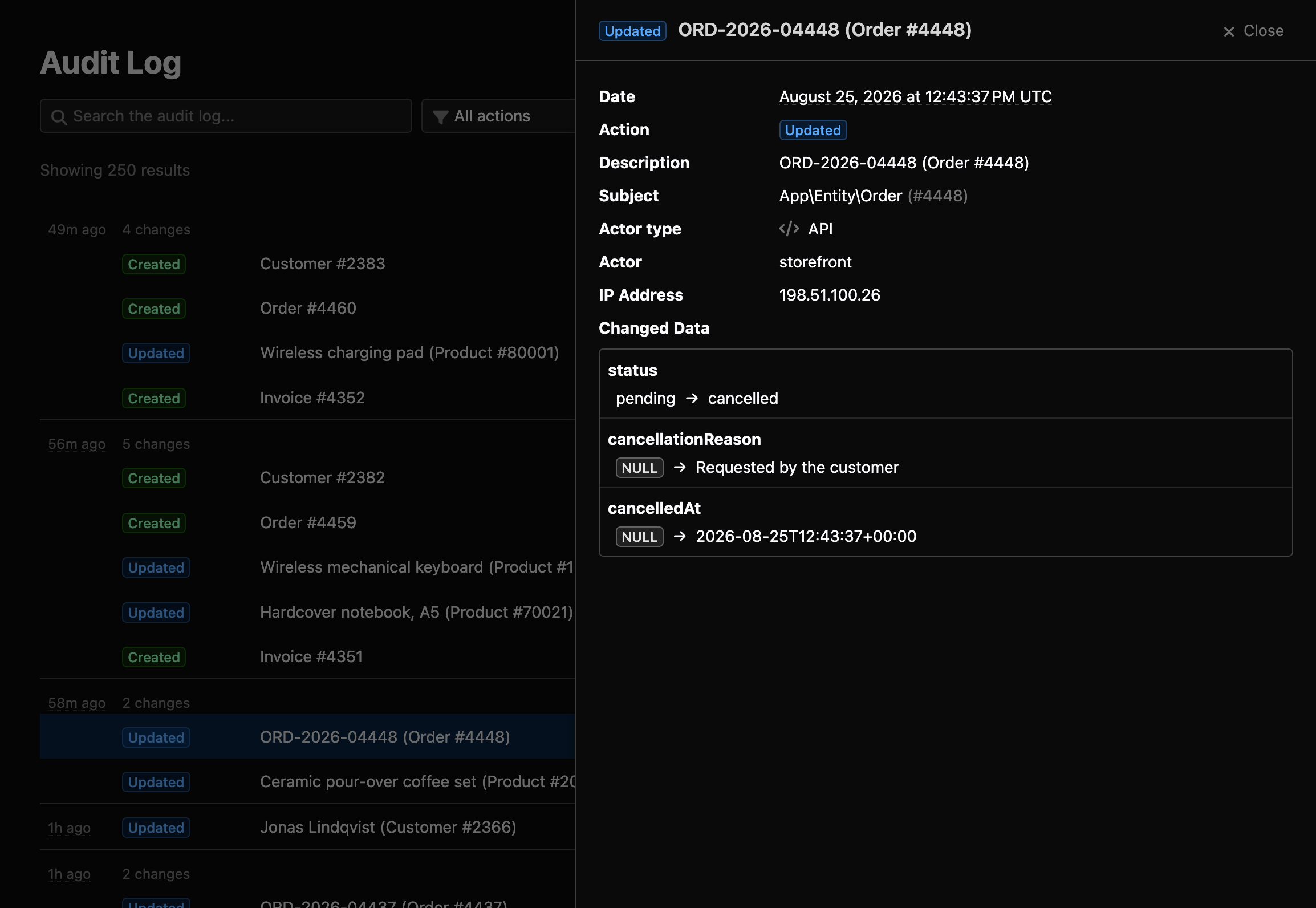
Zoom in on the side panel of an Updated entry for Order #4448: date, action, subject, actor type API, actor storefront and IP address, followed by the changed data with status going from pending to cancelled and cancellationReason and cancelledAt going from NULL to their new values

Field-level diffs, recorded automatically

Every create, update, delete and restore of your Doctrine entities is captured by a Doctrine listener, without touching your entities or controllers. Each entry stores the old and new value of every changed property, including owning-side associations, together with the actor (resolved from the security token, the running console command, or the system), the client IP address and any metadata you attach. Soft deletes are recognized (deletedAt by convention, configurable per entity) and recorded as deletes and restores instead of anonymous updates.

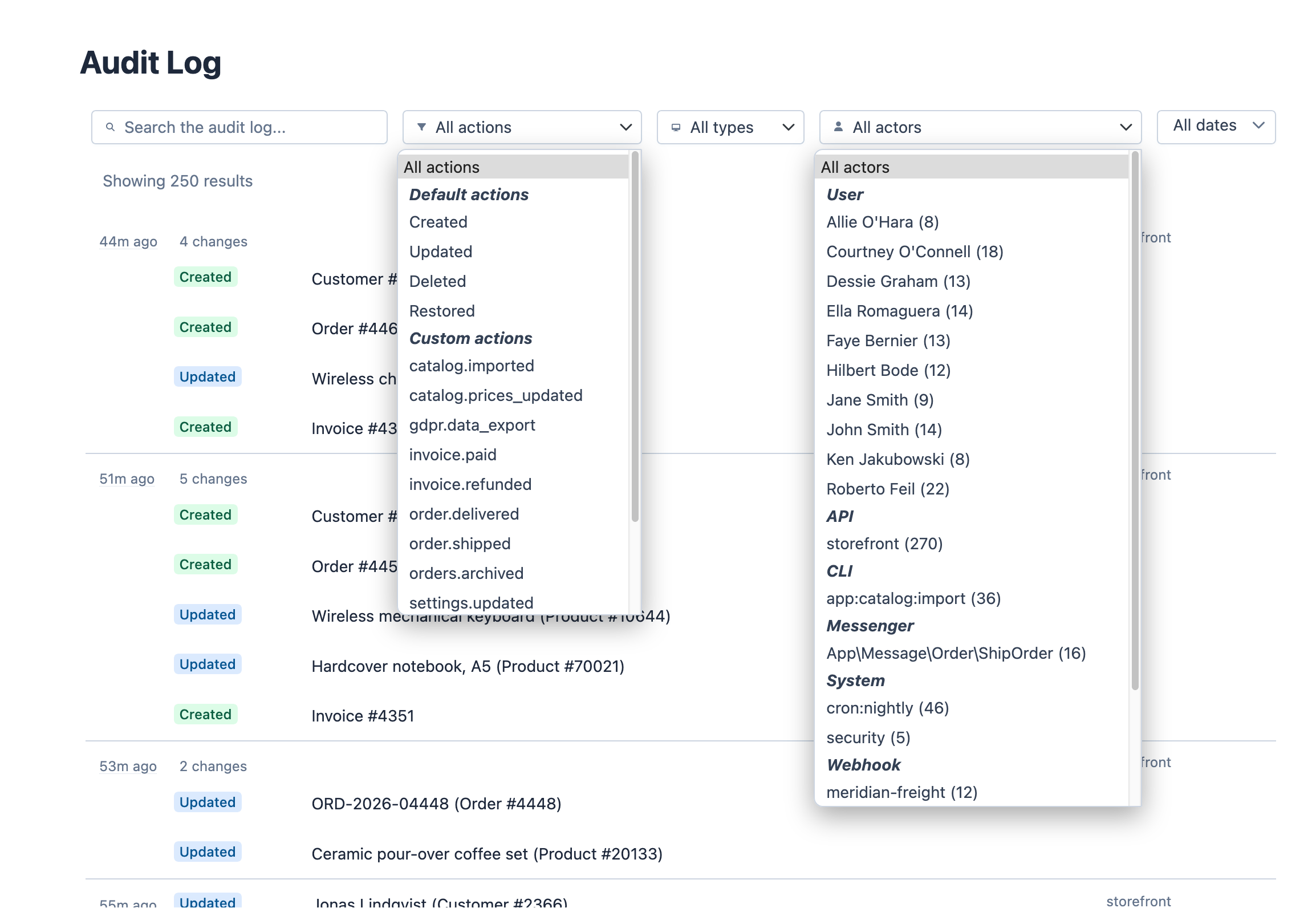
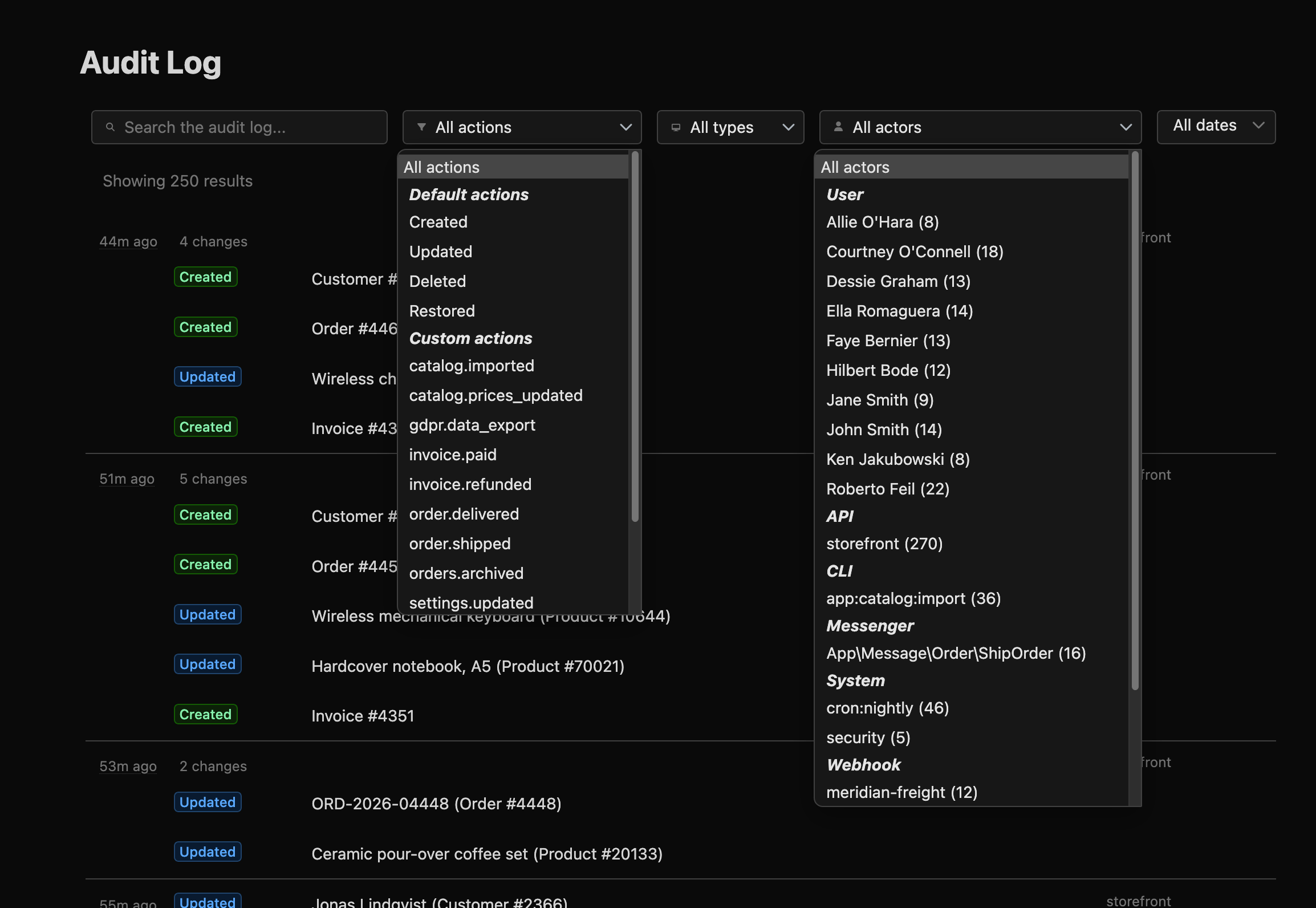
Zoom in on the filter bar of the audit log with two dropdowns open: the actions one lists the default actions (Created, Updated, Deleted, Restored) and custom ones like invoice.paid or order.shipped; the actors one groups them by type (User, API, CLI, Messenger, System, Webhook) with the number of entries of each actor

Browse the history without leaving your admin

A ready-made interface mounts on any admin route with a controller of two lines. Filter by action, actor type, actor and date range (down to the time of day), search in free text, and click any actor name to filter by that person. Timestamps are displayed in the viewer's local timezone. User names, avatars (custom URL or Gravatar), page size and date formats are configured with a fluent configureAuditLog() method, like everything else in EasyAdmin.

Terminal
$ php bin/console easyadmin:audit-log:verify

 [OK] The audit log chain is valid: the
      tamper-evident checks found no changes
      in the locally stored data.

  Chain id            01M0WGXWPEXN6DX2ZTMDVFPYFM
  Entries verified    670
  Sequence range      1 to 670
  Chain head          sequence 670, hash 8e816e...
  Key ids seen        audit-2026-01

Proof, not just records

Most audit logs are just another table: anyone with database access can edit or delete a row and nobody will ever know. Here, every entry is signed and linked to the one before it, so the whole history forms a chain. Change a single value, delete a row or slip one in the middle, and easyadmin:audit-log:verify points at the entries that were touched; run it on a schedule and alert on its exit code. Signed checkpoints seal the chain at regular intervals: export them to write-once storage (Amazon S3 Object Lock, Azure immutable blobs) and not even your database administrator can rewrite the past.

Under the hood

Privacy by default
password, token, apiKey, secret and other sensitive properties are never recorded. Add global or per-entity exclusions, stop storing IP addresses, or mask values (the last four digits of an IBAN, for example) with an #[AsAuditLogProcessor] service that runs before the entry is written.
Noise control
skip_if_only_changed discards entries where only bookkeeping fields like updatedAt or lastLoginAt changed. tracking_scope records changes everywhere, only inside EasyAdmin requests, or everywhere except EasyAdmin.
Your own events, in the same trail
AuditLoggerInterface::log() records your own application events (gdpr.data_export, an impersonation, an approval) with a subject, an optional actor override and free-form metadata. They show up in the same list, with the same filters and the same integrity chain.
Bulk operations stay out
withoutLogging(fn () => ...) suspends recording for imports, fixtures and batch jobs, and restores the previous state even if the callback throws. Doctrine migrations are excluded automatically, and you can turn the log off in the test environment with one line.
No change without its audit row
With on_write_failure: fail_closed and the audit log on the same connection as your entities, the audit rows are written inside the same transaction as the change, so both commit or roll back together. The default fail_open logs the failure and never lets it abort a business operation.
Key rotation without rewriting history
Signing keys live in a key ring with an active_key_id. Rotate on a schedule or after a suspected leak: new entries use the new key, old entries keep verifying with the key and algorithm they name, and a checkpoint anchors the switch.
Retention that keeps the chain valid
easyadmin:audit-log:cleanup runs in dry-run mode by default and deletes only whole checkpointed segments, oldest first, so what remains still verifies. retention_days declares the policy; --reset-chain starts a fresh chain after a backup restore without deleting anything.
Scope
Tracks every Doctrine entity by default, or the list you choose. Property changes and owning-side associations (ManyToOne, owning OneToOne) are recorded; collection-valued associations (OneToMany, ManyToMany) are not. Tables are created with your regular make:migration command.

[ 03 ]

Messenger Inspector

Operational visibility into Symfony Messenger, inside your admin: what is queued, what failed, why, and one click to retry it.

Background jobs fail quietly. An email that never went out, an export stuck in a queue, a worker that died at 3 a.m.: nobody notices until a customer complains, and then finding out requires a terminal, SSH access and messenger:failed:show. The inspector puts all of it inside your admin, for anyone on your team.

It works with any Messenger transport (Doctrine, AMQP/RabbitMQ, Redis, Amazon SQS, in-memory, sync) and records what happens to each message without touching your handlers or your business logic. It's also built to be harmless when things go wrong: if the inspector's own storage fails, the error is logged and your messages keep flowing.

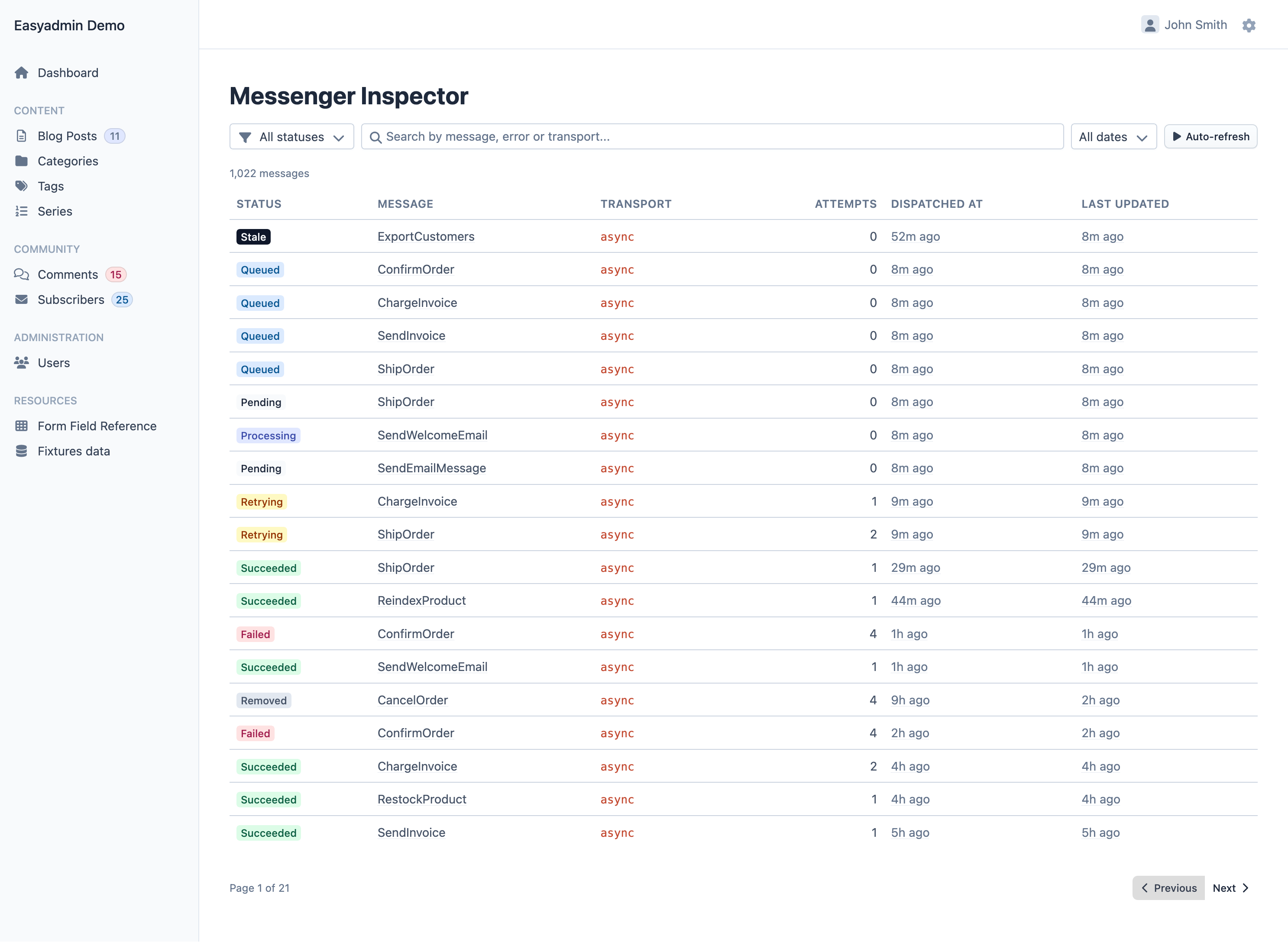
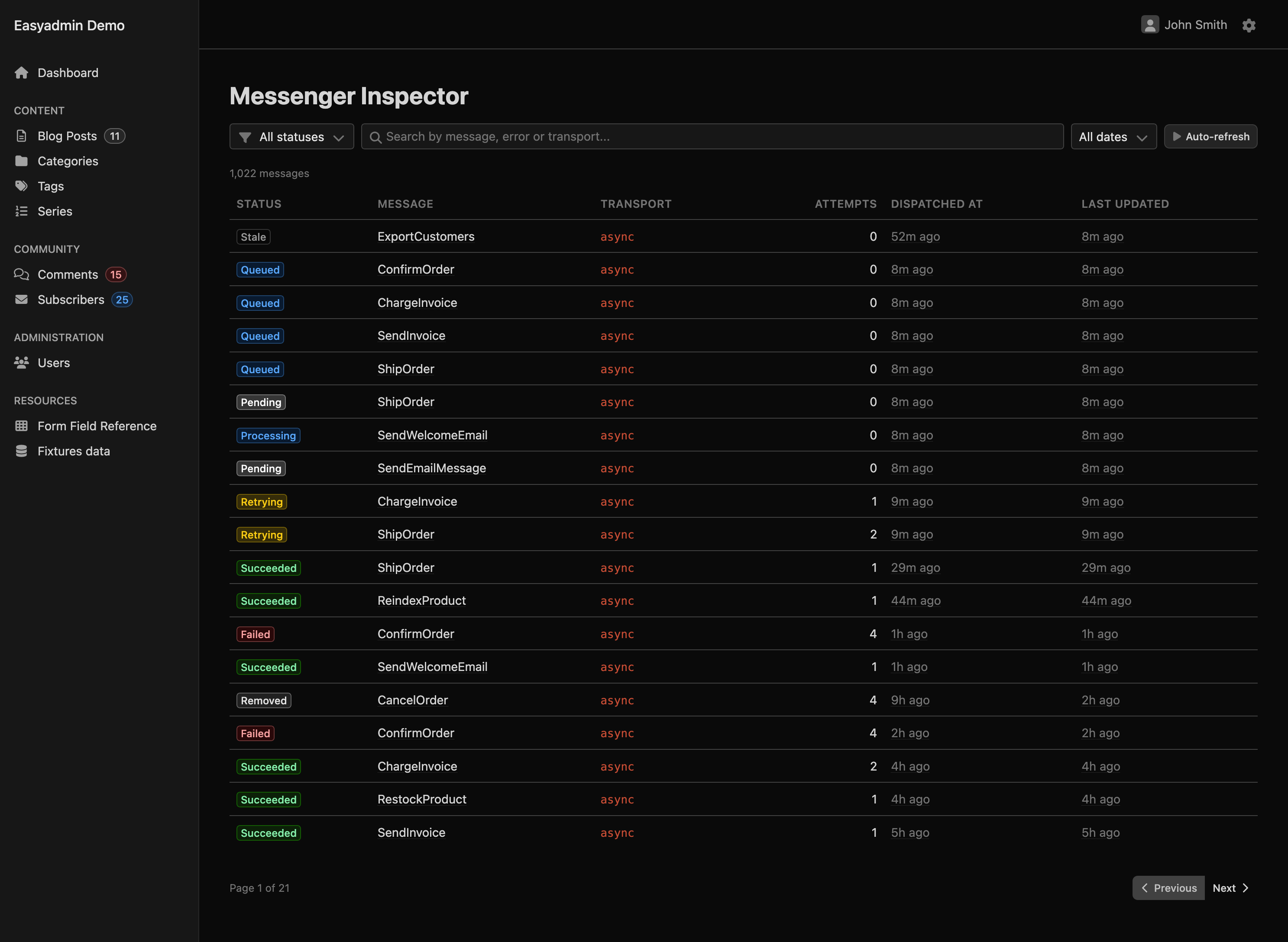
Messenger Inspector page inside an EasyAdmin backend: a status filter, a search box, a date filter and an auto-refresh button above a table of 1,022 messages with their status badge (stale, queued, pending, processing, retrying, succeeded, failed, removed), message class, transport, attempts, dispatched and last updated times
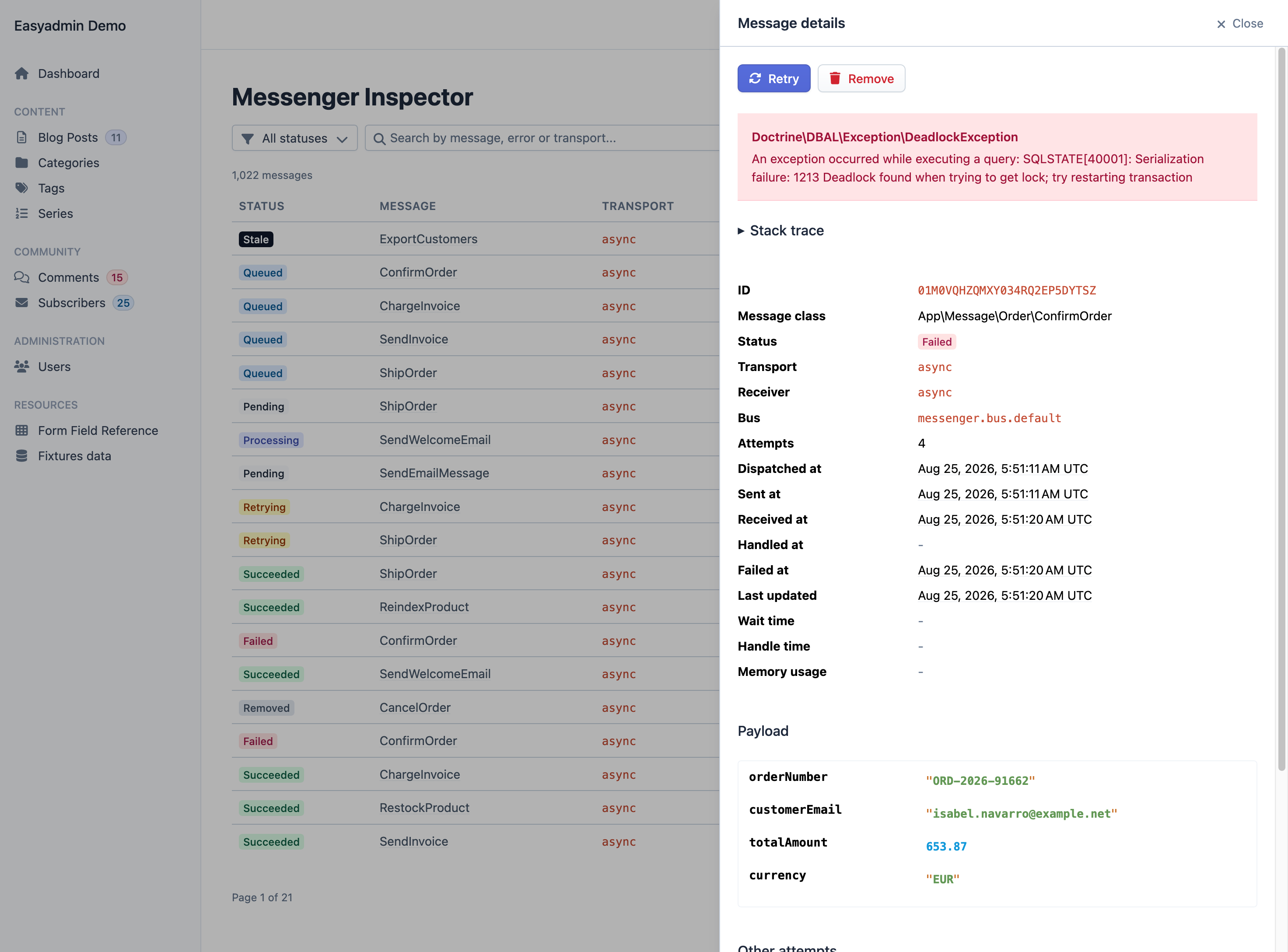
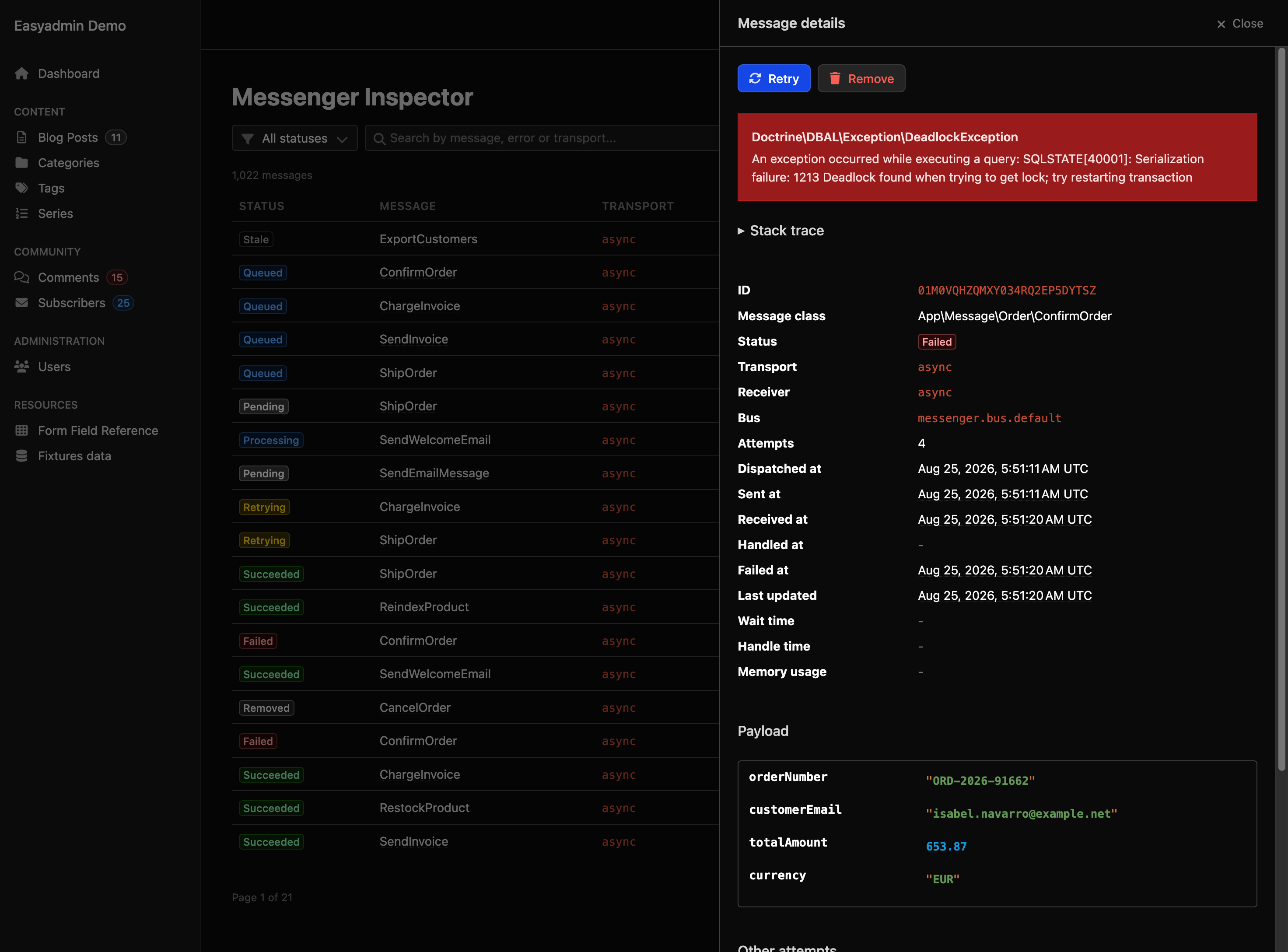
Zoom in on the side panel of a failed ConfirmOrder message: Retry and Remove buttons, a Doctrine deadlock exception message, a collapsed stack trace, and the message id, class, status, transport, receiver, bus, four attempts and the dispatch, send, receive and failure timestamps

See the failure, fix it in place

The list opens filtered by what needs attention: failed, retrying and stale messages. Each row opens a side panel with the error, the stack trace, the payload (if you opt in) and every earlier attempt of the same message. Retry sends the message back through its original transport and finds the right failure transport on its own, even if you use several; Remove discards it for good. Both update the list and the panel without reloading the page.

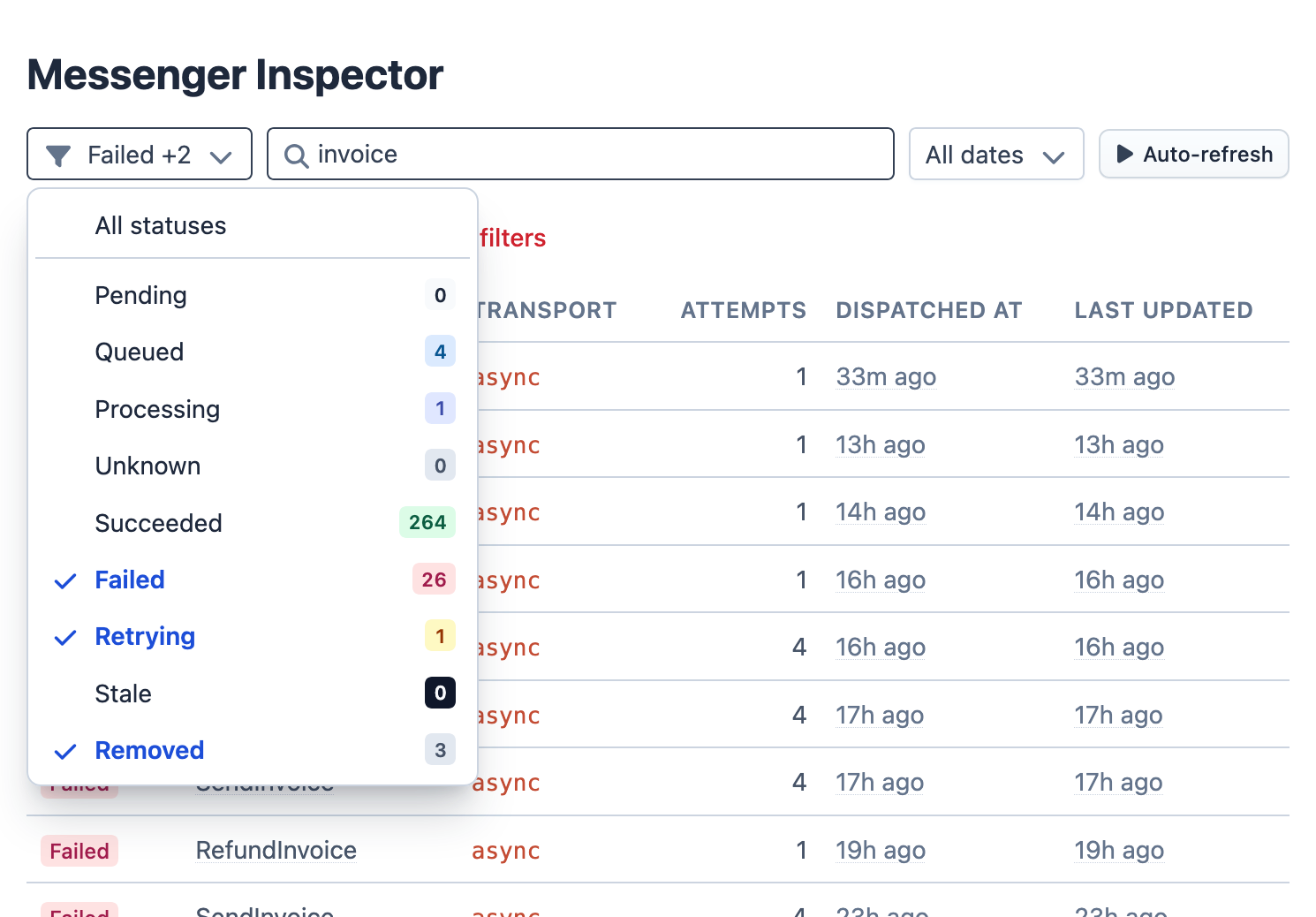
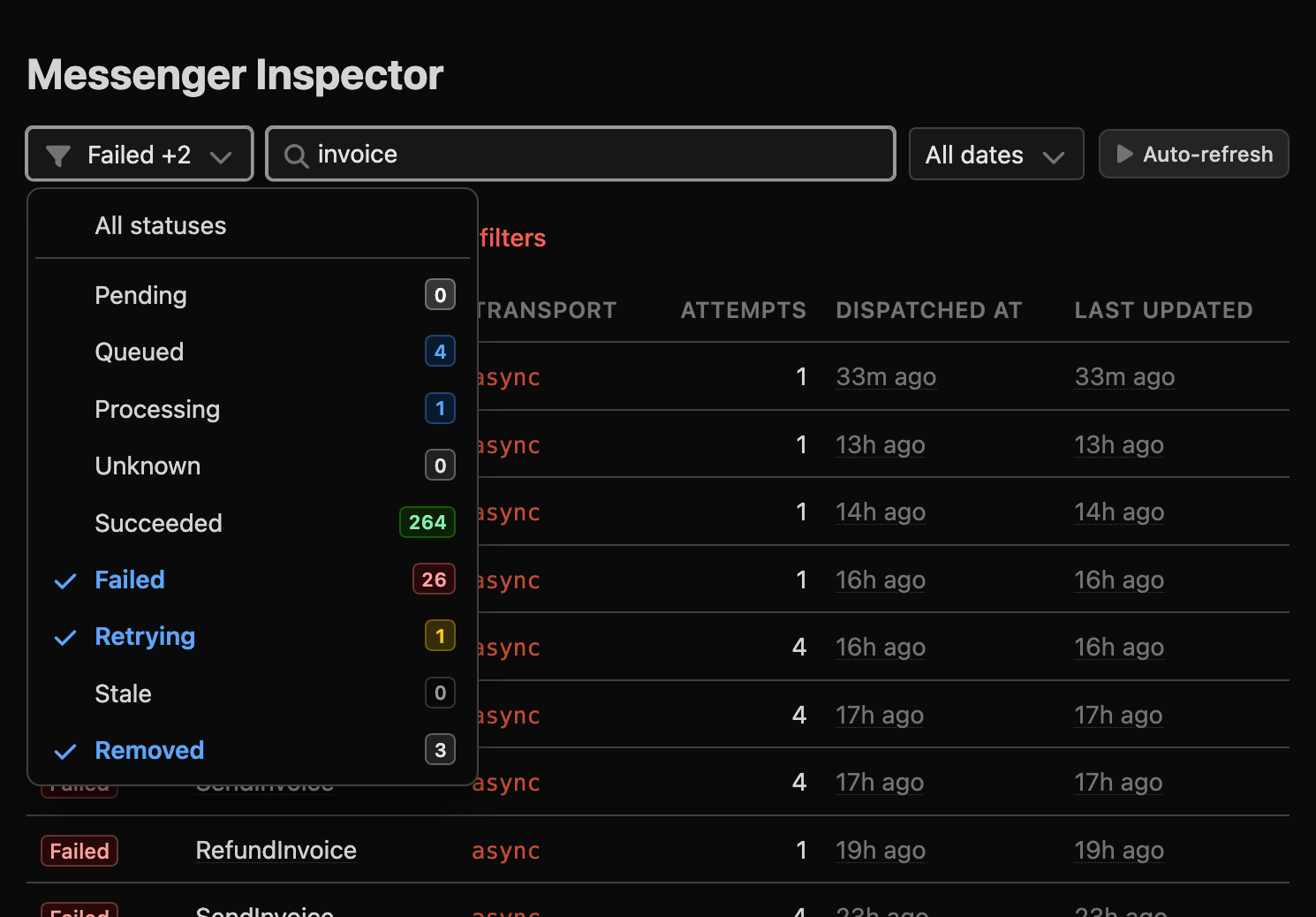
Zoom in on the filter row of the message list: the status dropdown is open with Failed, Retrying and Removed checked and shows the number of messages in each status (264 succeeded, 26 failed, 4 queued, 3 removed, 1 processing, 1 retrying), the search box contains the word invoice, and the date filter and auto-refresh button sit on the right

Find the one message you're looking for

The status filter shows how many messages sit in each status before you click anything. Search by message class, error text or transport, narrow it down to the incident window with the date filter, and turn on auto-refresh to watch a retry go through live. Statuses tell the truth: a message stays pending until every transport has accepted it, and wait and handle times are recorded to the millisecond, whatever your database's date precision.

config/packages/easyadmin_pro.yaml
easyadmin_pro:
    messenger_inspector:
        enabled: true
        # 'minimal' or 'full' (the whole lifecycle)
        mode: minimal
        # inspect 1 out of 4 messages
        sampling:
            rate: 0.25
        # per-status retention, pruned on a schedule
        retention_handled_days: 7
        retention_failed_days: 30

Built for production volume

Two recording modes: minimal (the default) writes one row per message attempt with its outcome, for high-throughput systems; full records the whole lifecycle, in-flight messages included. Sampling is deterministic per message, so a message is either tracked from start to finish or not at all. Include or exclude messages by class or interface, with a PHP attribute, or per dispatch. Per-status retention is enforced by a prune command you schedule.

Under the hood

Fail-safe by design
Errors writing inspector data are logged and swallowed (fail_on_storage_error: false), so a broken monitor never blocks message handling. Its tables live apart from yours and are created with your regular make:migration.
Crashed workers don't hide
Rows stuck in processing longer than stale_processing_minutes are reaped into a dedicated stale status, distinct from failed, and self-correct if the handler finishes later. Set the window above your slowest handler.
Payloads are private until you say otherwise
Payloads, stamps and stack traces are not stored unless you opt in. Even then, constructor arguments marked with #[\SensitiveParameter] are never persisted, and the side panel shows public properties only unless you call displayFullMessagePayload().
Read access is not operator access
#[IsGranted] protects the route. Override denyUnlessActionAllowed() to let your support team browse while only operators retry or remove, decided per action and per message id, so your voters apply.
Context on every message
DescriptionStamp and repeatable TagStamp add searchable, human-readable context. Symfony Mailer and Notifier messages are described and tagged automatically ("<subject> -> <recipient>"), so you can tell which email failed without opening it.
Compatibility
Monitors every bus by default, or only the ones you list. Tested against SQLite, MySQL 8.0+, MariaDB 10.6+ and PostgreSQL 13+. Requires symfony/messenger; Mailer and Notifier integrations activate only when those components are installed.

[ 04 ]

Markdown Editor

A comfortable writing experience for your content editors, with HTML output that is safe by construction.

A plain textarea is hostile to anyone who writes for a living, and a full WYSIWYG editor produces HTML you can't trust. MarkdownEditorField sits in between: a formatting toolbar, a live side-by-side preview and a fullscreen mode for writing; clean Markdown in your database.

Wherever EasyAdmin displays the content, it's rendered to HTML and sanitized in the browser before it touches the page, so what an editor types can never become a stored XSS attack against your admin.

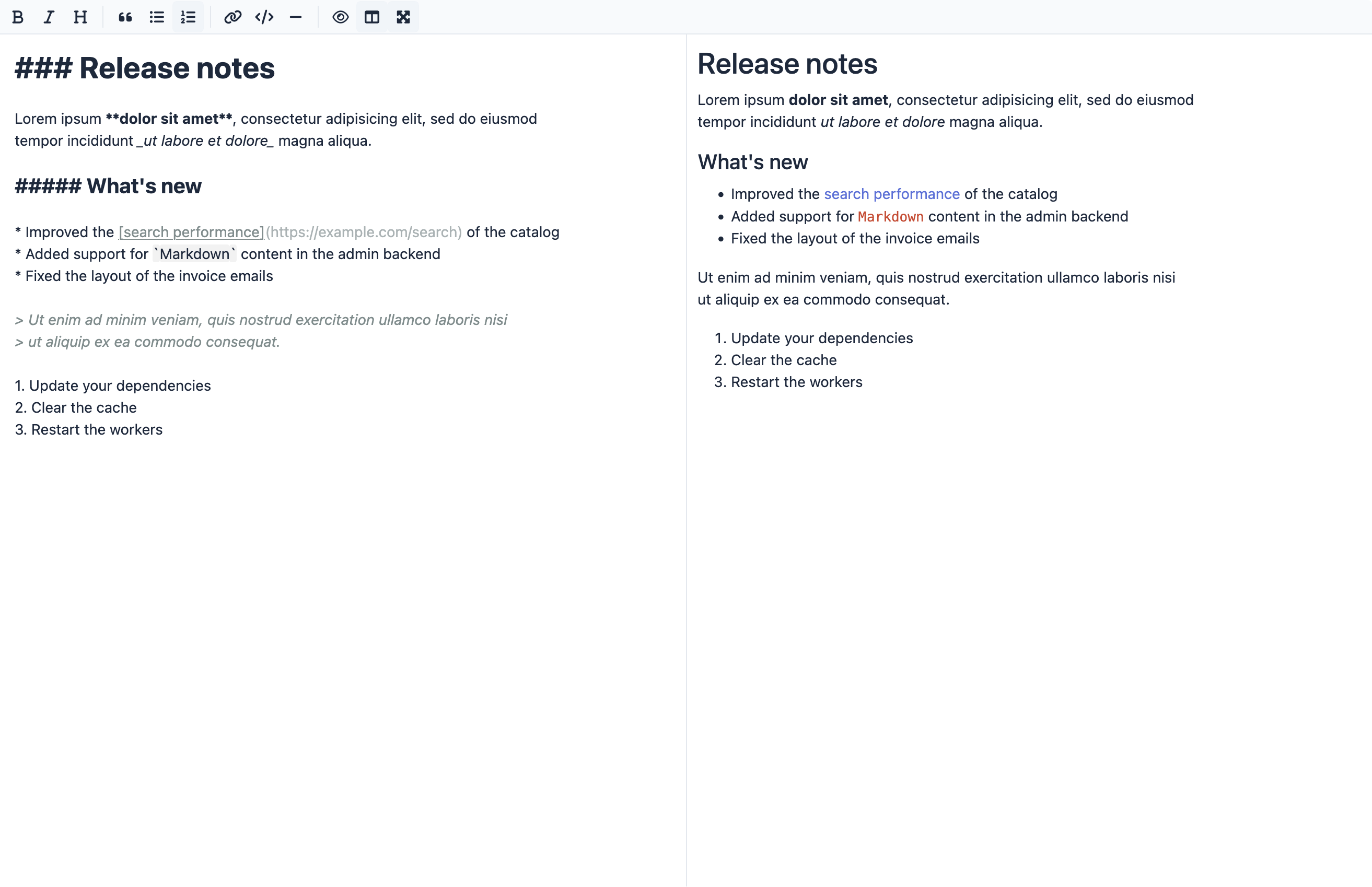
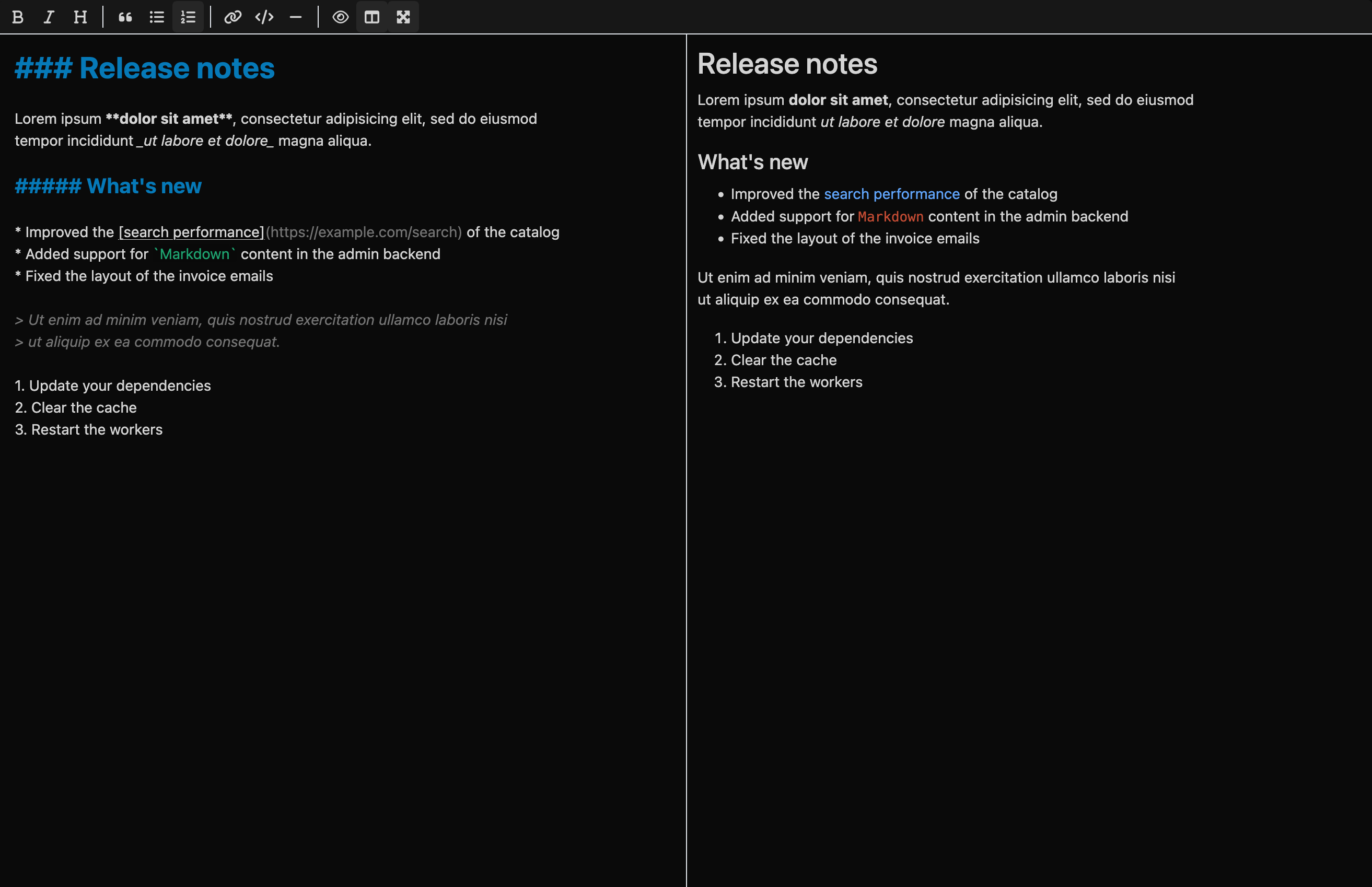
The Markdown editor in fullscreen side-by-side mode: a formatting toolbar on top, the Markdown source of a release notes document on the left (headings, bold and italic text, a link, inline code, a quote and lists) and the live preview rendering the same document on the right
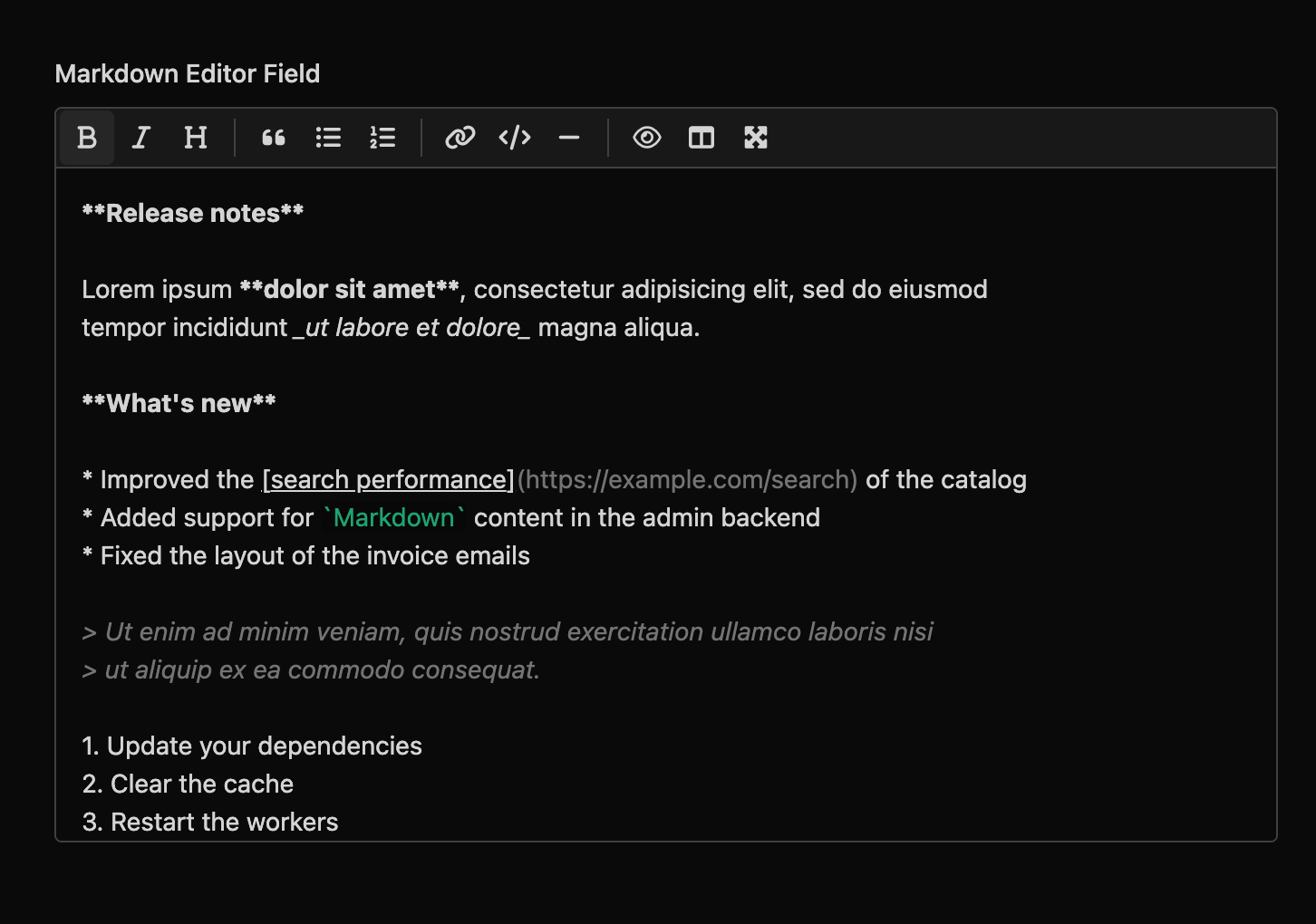
The Markdown editor field on an edit form: a toolbar with buttons for bold, italic, heading, quote, bullet and numbered lists, link, code, horizontal rule, preview, side-by-side and fullscreen, above the Markdown source of a release notes document

One field, every page

MarkdownEditorField::new('body') is all it takes. On new and edit pages the field loads the editor; on detail pages the Markdown is rendered inline; on index pages a compact "View content" button opens the rendered document in a modal, so long texts don't break your tables. setNumOfRows(), setLabel(), setHelp(), setColumns() and the rest of the field API work as with any built-in field.

What the editor typed
# Release notes
<script>steal(document.cookie)</script>
<img src="logo.png" onerror="alert(1)">
[Read more](javascript:alert(1))
<iframe src="https://evil.example"></iframe>

marked + DOMPurify

What the page renders
<h1>Release notes</h1>
<img src="logo.png">
<a>Read more</a>
<!-- script and iframe removed -->

Sanitized output, unmodified source

Rendering happens in the browser with marked, and the resulting HTML goes through DOMPurify before it's inserted into the DOM: <script> tags, inline event handlers and other dangerous markup are removed. The raw Markdown is stored unchanged in your database, so your public site can render it with any processor you like.

Under the hood

No configuration, no build step
Available as soon as the bundle is installed. Assets are versioned and served from /bundles/easyadminpro/ after assets:install; no Webpack Encore or AssetMapper required.
Toolbar
Bold, italic, headings, block quotes, ordered and unordered lists, links, inline code and horizontal rules, plus preview, side-by-side and fullscreen modes.
Scope
There is no image upload widget (images are inserted by URL) and no toolbar button for tables, although you can type any Markdown syntax by hand.

And we're not done

EasyAdmin Pro is not a finished product but a growing set of features. We keep adding new ones, and every feature released during your subscription is included at no extra cost. We don't publish a roadmap on purpose: a feature ships when it meets the same bar as the ones above, not before.

Ready when you are

One license for your whole organization, an invoice for every payment, email support from the EasyAdmin maintainers, and no penalties if you cancel.

Regular price: €199/month -25%
Promotional price:
€149/month excl. VAT

25% off for the first 6 months, then €199/month

The fastest way to start: pay by card, cancel anytime, and switch to annual later if your finance team prefers one invoice.

Regular price: €2,388/year -13%
Promotional price:
€2,088/year excl. VAT

€300 off your first year (25% for 6 months), then €2,388/year

Same price as 12 monthly payments, but one purchase order, one invoice and one approval a year. Your finance team will thank you.

Frequently Asked Questions

How does the license work?
One license per organization, with unlimited projects and unlimited developers and AI agents. The license is a right to use EasyAdmin Pro and stays active for as long as your subscription does.
Who can buy EasyAdmin Pro?
EasyAdmin Pro is sold exclusively to companies and professionals (including freelancers and self-employed developers) for business use. It is not available to private individuals.
Can I use it in projects for my clients?
Your license covers unlimited projects for your own organization. If you are an agency or consultancy building projects for other companies, each of those companies needs its own EasyAdmin Pro license to use it.
Can I cancel anytime?
Yes, without penalties. The subscription continues until the end of the paid period and simply does not renew.
What happens to my projects if I cancel?
When your subscription ends, so does your right to use EasyAdmin Pro: you must remove it from your projects. The open source EasyAdmin bundle and all the code you wrote on top of it are yours to keep, of course.
Which versions of PHP, Symfony and EasyAdmin are supported?
PHP 8.1 or higher, Symfony 5.4 to 8.x (including both LTS releases), EasyAdmin 4.27+ and 5.x, and Doctrine ORM 2.14+ and 3.x. See the compatibility details above.
How is it installed?
With Composer, like any other Symfony bundle. The code is delivered through Private Packagist: when you subscribe you get credentials to use in all your company's projects and CI pipelines, and then you run composer require easycorp/easyadmin-pro-bundle.
Can I pay by bank transfer and get an invoice?
You receive an invoice for every payment. The annual plan can also be paid by bank transfer, and you can request a pro forma invoice before paying if your purchasing process requires it.
Is support included?
Yes. You get email support directly from the EasyAdmin maintainers. We usually answer within one or two business days, though we can't guarantee response times.